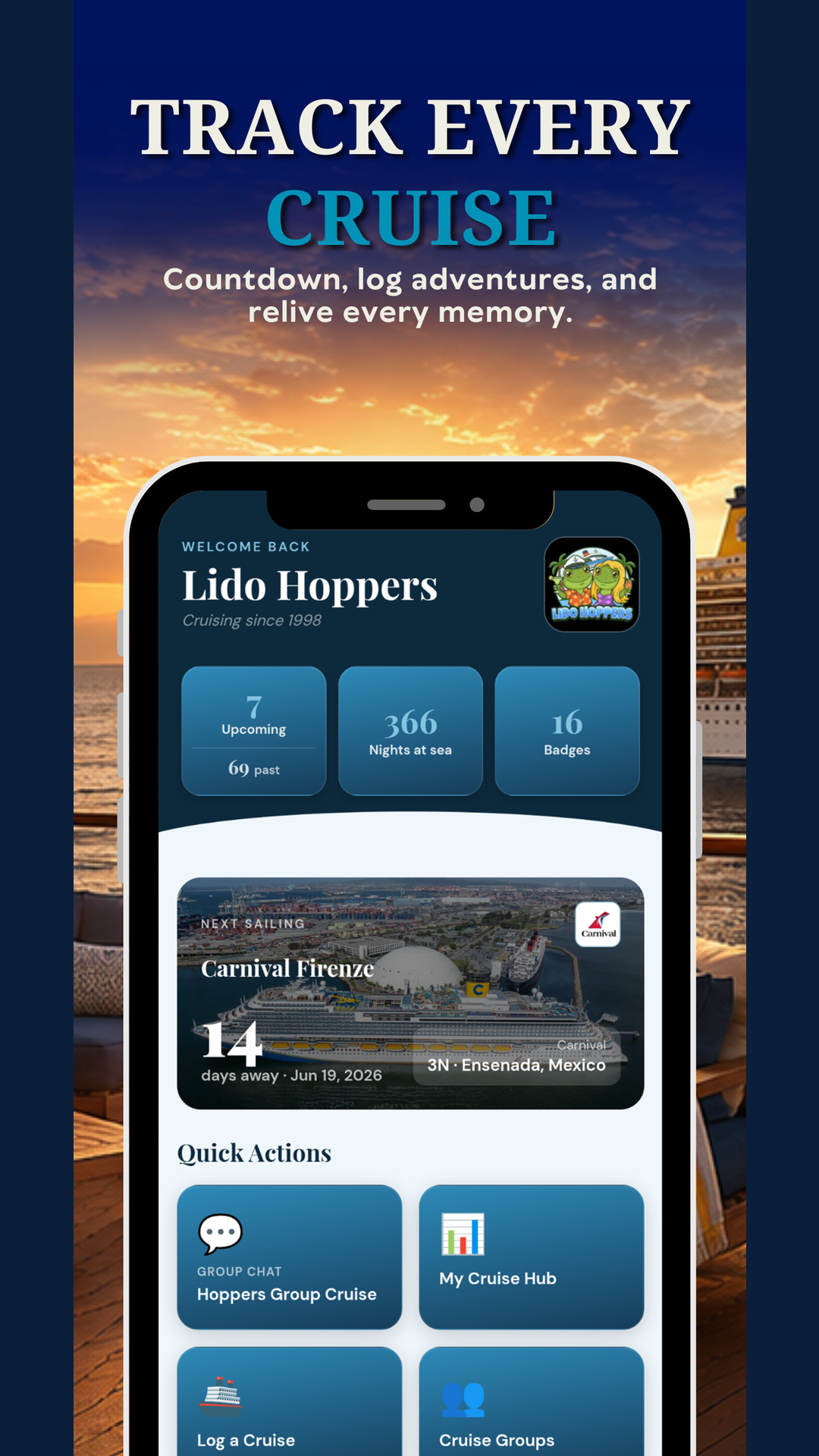
When the app opens you land on the home screen, your dashboard of cards (your next cruise, stats, badges, games, and more) and Quick Action tiles that jump you straight into a tool.
Along the bottom is the navigation bar with up to five tabs (for example Cruises, Groups, Hunts, Badges, Ask). A notification badge on the Groups tab tells you when you have unread messages.
- New to the app? An App Tour runs automatically on your first login. You can replay it anytime from the Profile screen.
- Stuck on something? Tap Need Help with the App? in your Profile to come straight back to this Help Center.
Heads up: Customizing which cards, Quick Actions, and nav tabs appear (and choosing a theme) is a First Mate and Captain feature. See Home Screen & Customization.
Was this helpful?
Your answer goes straight to Tony and Christina.